
Making Complex Setup Simple and Self-Serve

Overview
Mobile marketers need a seamless way to send users from their website to specific content within an app while also tracking the ad campaigns that brought them there.
To solve this, we developed OneLink Smart Script- a tool that reads URL parameters of website visitors and dynamically generates custom links behind UI elements. These links take users directly to the relevant in-app content and help measure the performance of ad campaigns.
Problem statement
Since there was no user interface, developers had to set up and implement the script themselves. This created friction and workflow challenges for marketing teams:
Users
Mobile marketing managers responsible for their company's website and app.
Limited agility
Time sensitive campaign launches and optimizations were hindered by these technical dependencies leading to missed opportunities.
Developer dependency and lack of ownership
Marketers, who owned the strategy and were responsible for running the campaigns, couldn’t set up or modify the Smart Script without engineering support, causing delays, bottlenecks, and frustrations.

Solution
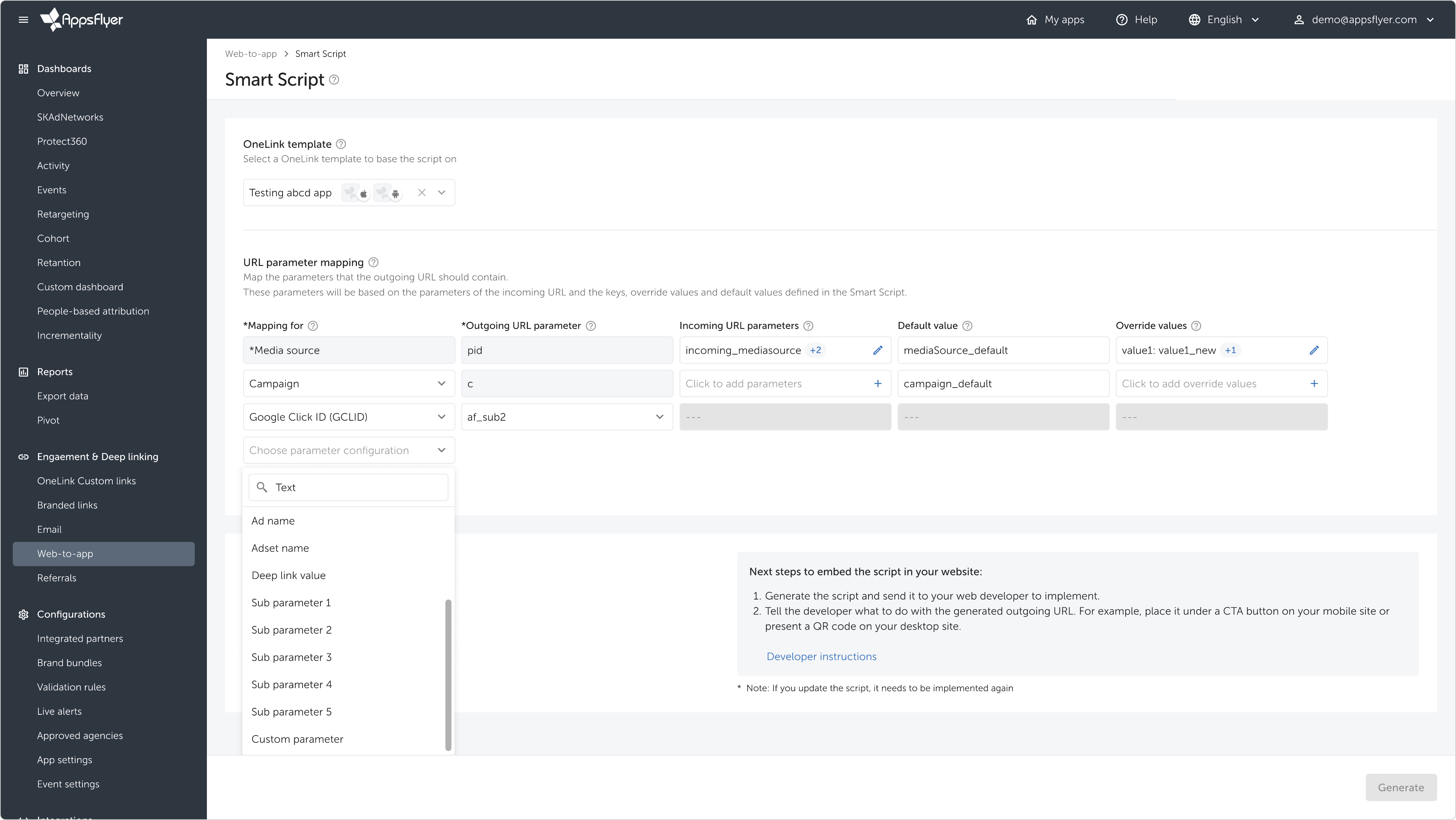
Designed a marketer-focused version of Smart Script.
1. Bridging technical complexity
I worked to minimize edge-cases in the solution architecture so marketers could interact with a consistent, predictable, and simple interface - one that required learning a single, clear set of rules without unexpected exceptions.
2. Giving marketers control without overwhelming them
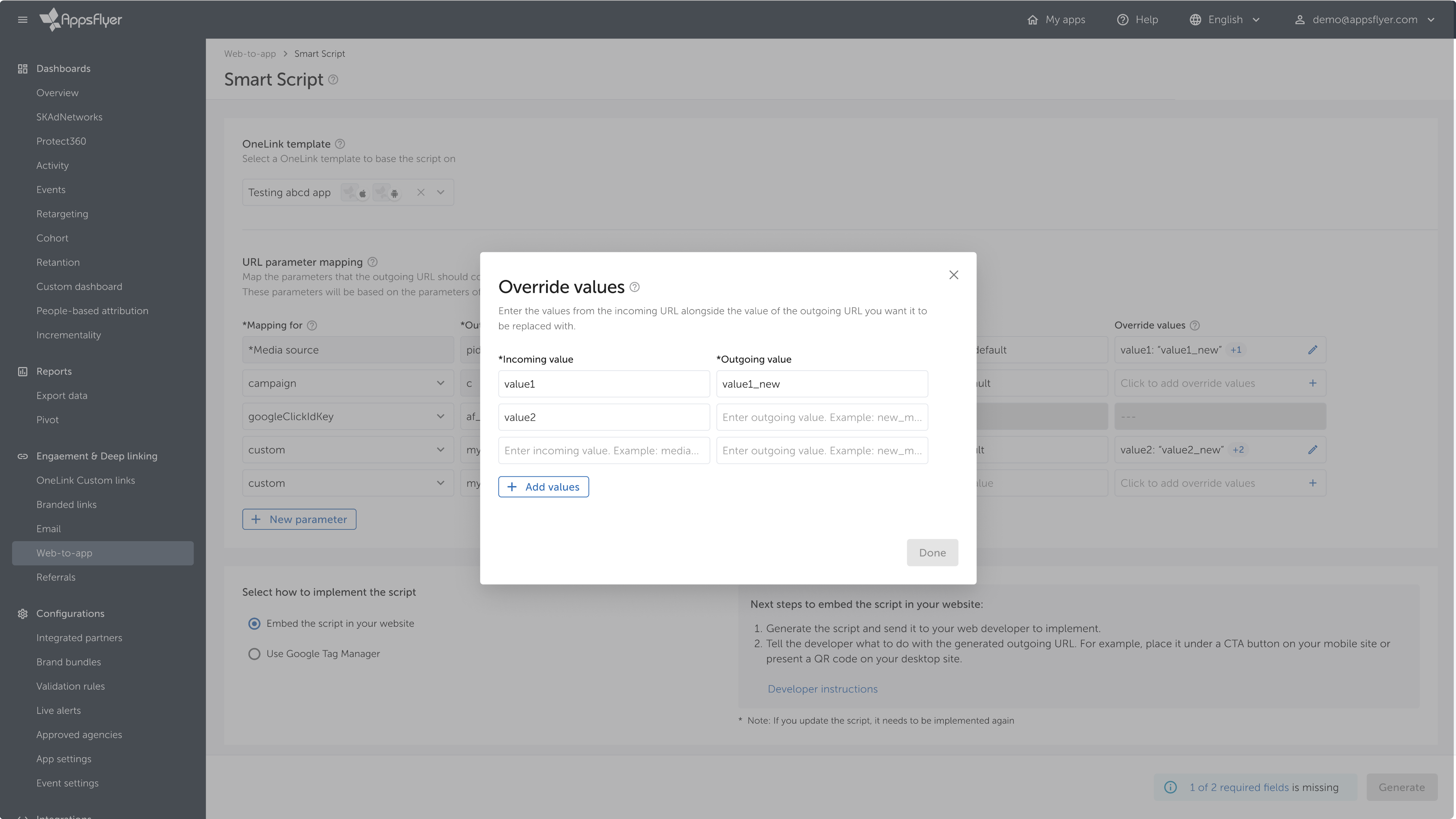
We created a workflow with pre-configured defaults to support most use cases, while allowing advanced users to override settings for greater control when needed.
3. Improving marketer-developer collaboration
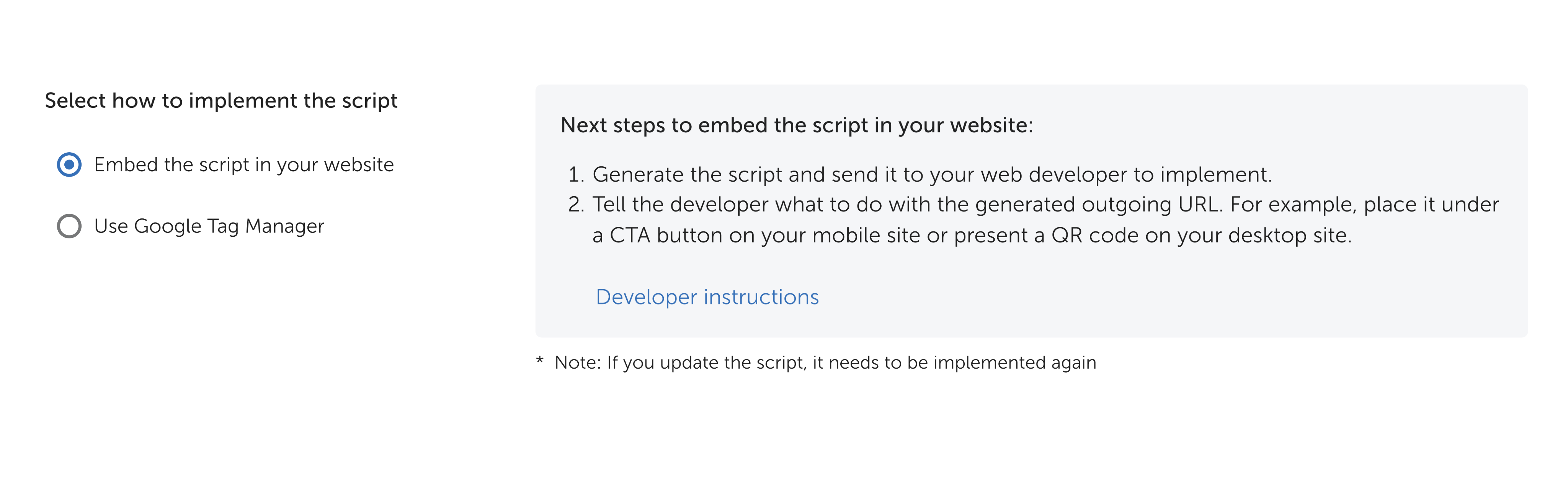
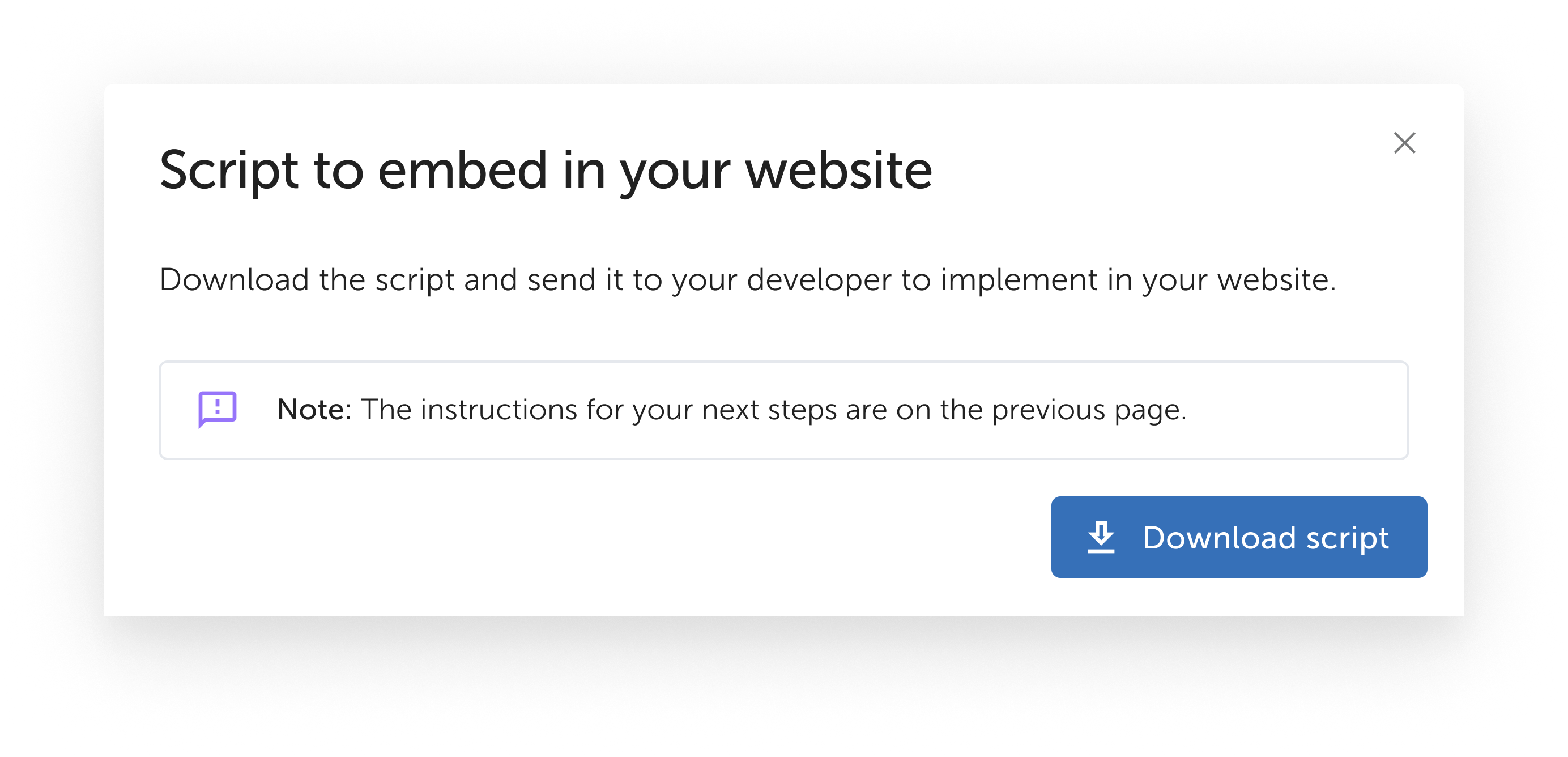
We focused on making the collaboration smoother by clearly outlining what marketers need from developers, when to involve them, and how to communicate requirements more effectively.
Key UX Principles
My main focus was shaping the UX concept and advocating for a design that truly centers around marketers' needs and workflows:
Role
As the team leader, I guided the design process and supported the product designer throughout the project.
+70%
70% year-over-year increase in monthly measured installs driven by Smart Script

+50%
50% year-over-year growth in the number of paying accounts adopting the feature

-60%
60% reduction in support tickets related to setup and configuration within six months of launch
Project impact
Smart Script delivered strong results by putting marketers in control, simplifying setup, streamlining onboarding, and making customization easy to manage independently.
eynat.pikman@gmail.com
+972-52-5866151


Making Complex Setup Simple and Self-Serve

Overview
Mobile marketers need a seamless way to send users from their website to specific content within an app while also tracking the ad campaigns that brought them there.
To solve this, we developed OneLink Smart Script- a tool that reads URL parameters of website visitors and dynamically generates custom links behind UI elements. These links take users directly to the relevant in-app content and help measure the performance of ad campaigns.
Problem statement
Since there was no user interface, developers had to set up and implement the script themselves. This created friction and workflow challenges for marketing teams:
Users
Mobile marketing managers responsible for their company's website and app.
Limited agility
Time sensitive campaign launches and optimizations were hindered by these technical dependencies leading to missed opportunities.
Developer dependency and lack of ownership
Marketers, who owned the strategy and were responsible for running the campaigns, couldn’t set up or modify the Smart Script without engineering support, causing delays, bottlenecks, and frustrations.
Solution
Designed a marketer-focused version of Smart Script.
1. Bridging technical complexity
I worked to minimize edge-cases in the solution architecture so marketers could interact with a consistent, predictable, and simple interface - one that required learning a single, clear set of rules without unexpected exceptions.
2. Giving marketers control without overwhelming them
We created a workflow with pre-configured defaults to support most use cases, while allowing advanced users to override settings for greater control when needed.
3. Improving marketer-developer collaboration
We focused on making the collaboration smoother by clearly outlining what marketers need from developers, when to involve them, and how to communicate requirements more effectively.
Key UX Principles
My main focus was shaping the UX concept and advocating for a design that truly centers around marketers' needs and workflows:
Role
As the team leader, I guided the design process and supported the product designer throughout the project.
+70%
70% year-over-year increase in monthly measured installs driven by Smart Script
+50%
50% year-over-year growth in the number of paying accounts adopting the feature
-60%
60% reduction in support tickets related to setup and configuration within six months of launch
Project impact
Smart Script delivered strong results by putting marketers in control, simplifying setup, streamlining onboarding, and making customization easy to manage independently.
eynat.pikman@gmail.com
+972-52-5866151
Making Complex Setup Simple and Self-Serve

Overview
Mobile marketers need a seamless way to send users from their website to specific content within an app while also tracking the ad campaigns that brought them there.
To solve this, we developed OneLink Smart Script- a tool that reads URL parameters of website visitors and dynamically generates custom links behind UI elements. These links take users directly to the relevant in-app content and help measure the performance of ad campaigns.
Problem statement
Since there was no user interface, developers had to set up and implement the script themselves. This created friction and workflow challenges for marketing teams:
Users
Mobile marketing managers responsible for their company's website and app.
Limited agility
Time sensitive campaign launches and optimizations were hindered by these technical dependencies leading to missed opportunities.
Developer dependency and lack of ownership
Marketers, who owned the strategy and were responsible for running the campaigns, couldn’t set up or modify the Smart Script without engineering support, causing delays, bottlenecks, and frustrations.
Solution
Designed a marketer-focused version of Smart Script.
1. Bridging technical complexity
I worked to minimize edge-cases in the solution architecture so marketers could interact with a consistent, predictable, and simple interface - one that required learning a single, clear set of rules without unexpected exceptions.
2. Giving marketers control without overwhelming them
We created a workflow with pre-configured defaults to support most use cases, while allowing advanced users to override settings for greater control when needed.
3. Improving marketer-developer collaboration
We focused on making the collaboration smoother by clearly outlining what marketers need from developers, when to involve them, and how to communicate requirements more effectively.
Key UX Principles
My main focus was shaping the UX concept and advocating for a design that truly centers around marketers' needs and workflows:
Role
As the team leader, I guided the design process and supported the product designer throughout the project.
+70%
70% year-over-year increase in monthly measured installs driven by Smart Script
+50%
50% year-over-year growth in the number of paying accounts adopting the feature
-60%
60% reduction in support tickets related to setup and configuration within six months of launch
Project impact
Smart Script delivered strong results by putting marketers in control, simplifying setup, streamlining onboarding, and making customization easy to manage independently.
eynat.pikman@gmail.com
+972-52-5866151